Mccolor Pencil: A Playful Crayon Font for Creative Projects
What Exactly is Mccolor Pencil?
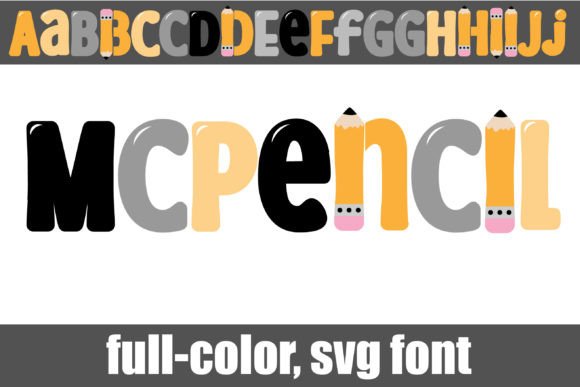
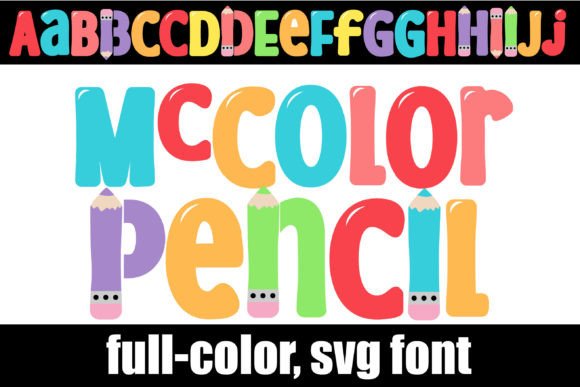
Imagine the nostalgic joy of a fresh box of crayons, but with the precision and scalability of modern digital design. That is the core appeal of Mccolor Pencil. This is not your standard black-and-white typeface; it is a premium font that functions as a full-color graphic asset. Designed to mimic the textured, imperfect strokes of a crayon, it utilizes OpenType SVG technology to embed multiple colors directly into the font file.
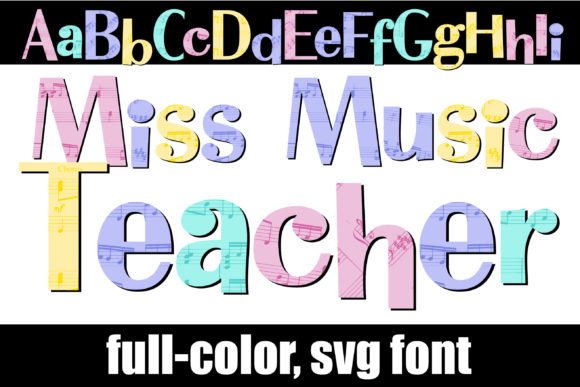
When you type with Mccolor Pencil, you aren't just placing letters on a page; you are stamping down vibrant, spring-inspired pastel hues. The visual personality is inherently youthful, energetic, and approachable. It captures a specific aesthetic that balances "handmade" charm with the crispness required for professional output. For designers and creators, this handwritten font offers a way to inject personality into a project instantly, bypassing the need to outline letters and apply complex gradient fills manually.
Practical Applications: Where This Creative Font Shines
Understanding where to deploy a display font like Mccolor Pencil is key to maximizing its impact. Because of its bold coloring and textured finish, it is rarely suited for long-form body text or dense paragraphs. Instead, it excels in high-impact, short-form applications.
Consider the following areas where this typeface adds immediate value:
- Branding and Logo Design: If you are building a brand identity for a children’s boutique, a toy store, a daycare, or a creative workshop, Mccolor Pencil serves as a strong primary logotype. It communicates fun and creativity without needing additional illustration.
- Packaging Design: On shelf presence, color is king. Using this font for product names on packaging—such as snacks, craft supplies, or stationery—draws the eye immediately.
- Social Media Graphics: In the fast-scroll environment of Instagram or TikTok, static text often gets ignored. The vibrant pastel colors of this creative font stop the scroll, making it perfect for headers, quotes, and call-to-action overlays.
- Editorial Design: For magazines, blogs, or book covers targeting a lifestyle or family audience, using Mccolor Pencil for pull quotes or chapter titles can break up visual monotony and add a whimsical touch.
It is also an excellent choice for personal projects. If you are a hobbyist creating scrapbook pages, birthday invitations, or school newsletters, this font provides a polished, "finished" look that mimics hand-lettering but with the consistency of digital typesetting.
Installation and Compatibility: The Technical Side
While the aesthetic is playful, the file format is sophisticated. Mccolor Pencil is distributed as an OpenType full-color (SVG) font. This means it installs just like any standard .otf file. On a Mac, you simply open FontBook and install; on Windows, you can use the Control Panel or a third-party font manager.
However, there is a crucial technical caveat to understand regarding modern typography. Not all software supports color fonts yet. If you open Mccolor Pencil in a program that does not support SVG technology, the text will render as a standard black font. You might see the black version even in the preview window of some compatible programs, but the color will appear once you type the text onto the canvas.
Currently, major industry-standard software supports this technology, including:
- Adobe Products: Photoshop, Illustrator, and InDesign generally handle SVG fonts well.
- Silhouette Studio: Essential for crafters using cutting machines.
- QuarkXPress and Inkscape: Both offer robust support for these design assets.
It is always recommended to test the font in your specific environment before purchasing a license for a critical project. Additionally, the file often includes an alternate version accessible via your system’s character map, providing extra color variations for the letters to expand your creative options.
Strategic Pairing and Readability
One of the challenges of working with a highly stylized display font is maintaining visual hierarchy. If everything is loud, nothing is heard. Therefore, pairing Mccolor Pencil with a more subdued typeface is essential.
Avoid pairing it with other script fonts or heavy decorative typefaces. Instead, look for a clean, geometric sans serif font. The neutrality of a sans serif will act as a visual rest for the eye, allowing the colorful crayon text to serve as the accent or focal point. For example, using a light-weight sans serif for body text and Mccolor Pencil for headers creates a balanced hierarchy that guides the reader naturally through the content.
Readability is another factor. Because the font simulates crayon texture, intricate details can get lost at very small sizes. Use this typeface at larger point sizes where the color transitions and texture are clearly visible. If you use it for a subtitle or a sub-header, ensure the background color contrasts well with the pastel palette of the font to maintain legibility.
Licensing and Commercial Use
For entrepreneurs and small business owners, the distinction between personal and commercial use is vital. Mccolor Pencil is a commercial font. While it might be tempting to use it for a quick internal mockup, any public-facing material—whether a client logo, a t-shirt design for sale, or a digital product—requires the appropriate license.
When evaluating this typeface for your brand identity, consider the longevity of the trend. While pastels and crayon styles are perennial favorites in specific niches, ensure that this style aligns with the voice of your brand for the long term. It is a bold stylistic choice that works incredibly well for brands wanting to appear approachable, creative, and youthful.
By leveraging the unique SVG capabilities of Mccolor Pencil, you can create designs that feel organic and handcrafted, yet possess the scalability and precision of vector digital assets. It bridges the gap between the handmade look and professional web design